KDP Barcode & ISBN Zone: Keep the Back Cover Clear
Amazon KDP places the barcode on the back cover in a reserved zone about 2 × 1.2 in, usually in the lower-right area. Keep that zone clear of text, faces and busy imagery on a light, plain background so the barcode stays scannable and nothing important gets covered. If you use a free KDP ISBN, KDP adds the barcode there automatically.
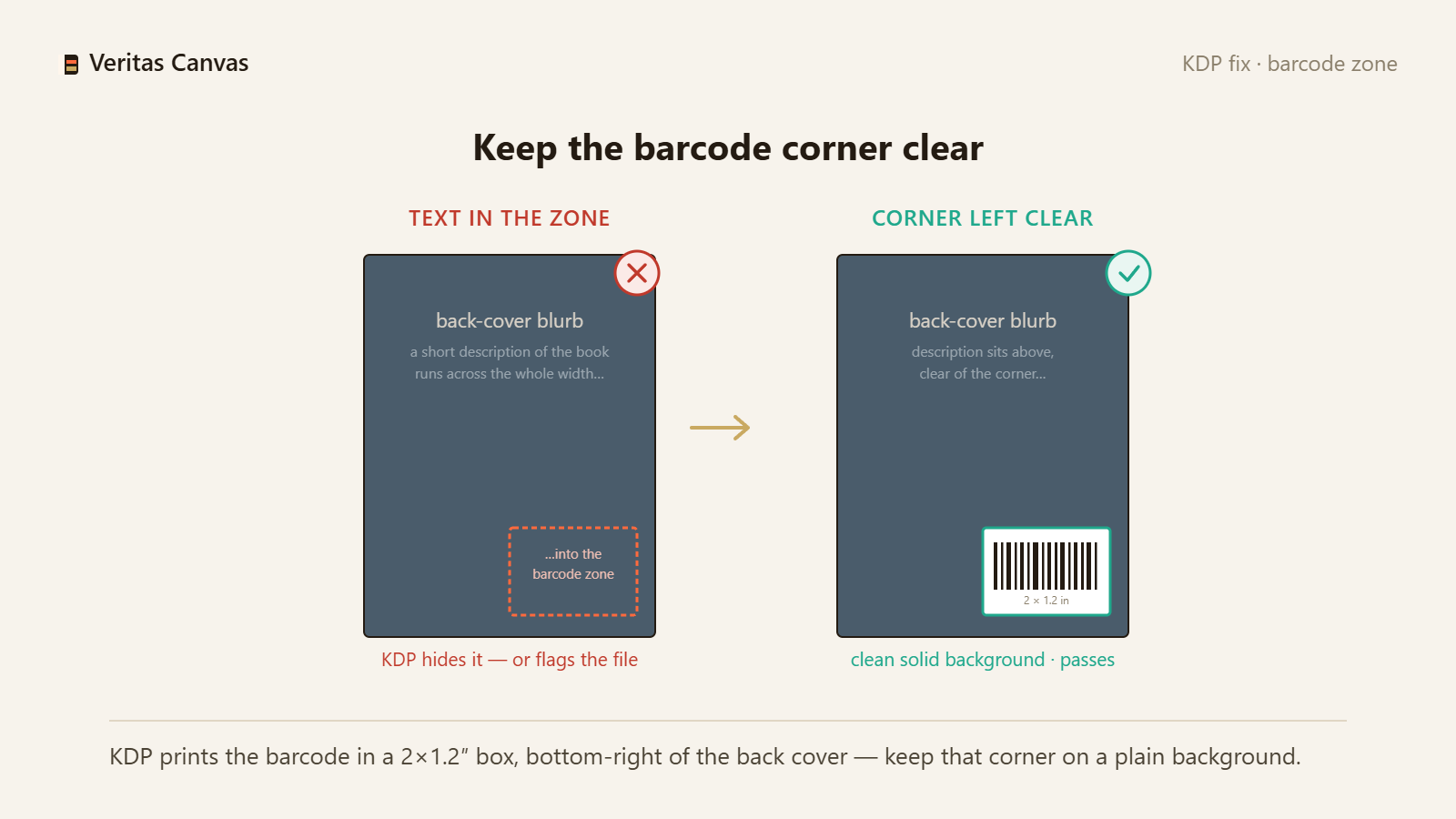
1. Where KDP puts the barcode
On print books, KDP prints a barcode on the back cover — typically the lower-right corner — in a reserved area roughly 2 × 1.2 in. This is fixed; you design around it. Fix: leave that corner open in your layout from the start.
2. Keep the zone clear and light
The barcode must scan, so the zone needs a light, low-detail background with no important text or faces. A dark or busy image under the barcode reduces contrast and can be flagged. Fix: place a plain light panel or calm background in the barcode area.
3. Free KDP ISBN vs your own ISBN
If you take KDP's free ISBN, KDP generates and prints the barcode in that zone for you — just keep it clear. If you bring your own ISBN, you may place your own barcode there instead. Fix: decide your ISBN source first, then leave or fill the zone accordingly.
4. What happens if the zone is occupied
If a title, face or key graphic sits in the barcode area, KDP overlays the barcode on top — covering your content or clashing with it. This is a common back-cover mistake. Fix: move important elements out of the lower-right zone.
5. Barcodes are print-only
The barcode and its zone apply to print covers only. Ebook covers have no barcode, so your ebook cover can use the full area. Fix: reserve the zone on the print wrap; ignore it for the ebook cover.
6. Position it correctly on the full wrap
On a full-wrap cover the barcode zone is on the back panel (the left side of the wrap as laid out), lower area. Keep your back-cover blurb and author photo away from it. Fix: lay out the back panel with the barcode corner reserved.
Where does the KDP barcode go on a cover?
On the back cover, usually the lower-right, in a reserved area about 2 × 1.2 in. Keep that zone clear on a light background so the barcode scans.
Do I need my own barcode or ISBN for KDP?
No. KDP provides a free ISBN and prints the barcode for you in the reserved zone. You can also use your own ISBN and place your own barcode if you prefer.
Can I put my design in the barcode area?
Keep it clear and light. If important text or imagery sits there, KDP prints the barcode over it, which covers your content and can hurt scannability.
Does Veritas Canvas show the barcode zone?
Yes. In full-wrap mode it marks the ISBN/barcode zone so you keep it clear, and exports a print-ready 300 DPI cover — free, no signup, no watermark.